
How to Tell If Vacation Rental Photos Are Accurate
Last Updated: November 1, 2026
Quick Summary
Vacation rental photos are often not fully accurate because hosts use wide-angle lenses, staging, and editing to make rooms look bigger and newer. Run a five-pass check on room counts, layout, frame edges, reflections, and finishes, and ask the host for dated photos of the exact unit before you pay.
A 2026 Landing survey found 29% of travelers worry about inaccurate listing photos or descriptions.
Platform rules only require photos to be representative, so a verification badge is not a photo-accuracy guarantee.
Ask the host for a short unedited video walkthrough of the exact unit you are booking.
Read three- and four-star reviews and guest-uploaded photos, which are unedited and shot in real light.
If the property does not match, photograph the problem and open a platform case the same day.
Table of Contents
Why Vacation Rental Photos Often Stretch the Truth
How to Spot Fake Vacation Rental Photos
A Five-Pass Verification Checklist
Wide-Angle Distortion and Staged Rooms
Editing Tricks That Hide Wear and Tear
The Verification Angle Competitors Skip
Vacation Rental Listing Red Flags to Check Before You Pay
What Platform Photo Rules Actually Require
The Red-Flag Checklist
Cross-Check the Photos Against the Text and the Calendar
Ask for Evidence, Not Reassurance
Questions to Ask Before Booking a Vacation Rental
Using Reviews and Guest Photos to Confirm What You See
What to Do If a Vacation Rental Is Not as Described
Book a Cocoa Beach Villa You Can Verify in Person
Frequently Asked Questions
Why Vacation Rental Photos Often Stretch the Truth
Booking a rental based on photos is a leap of faith. A 2026 survey from Landing's long-stay travel research found that 29% of travelers named inaccurate listing photos or descriptions as a real concern.
Why does that gap exist? Because listing photos are marketing, not documentation.
None of this is illegal. Many platforms require photos to be "representative." That word does a lot of heavy lifting.
This guide covers how to check whether vacation rental photos are accurate before you pay.
Below, we'll show you exactly how to spot stretched rooms, edited damage, and red flags in a listing.
How to Spot Fake Vacation Rental Photos
The fastest way to spot fake vacation rental photos is not to stare harder at the gallery. It is to run a structured comparison between what the images show, what the listing text claims, and what independent evidence confirms.
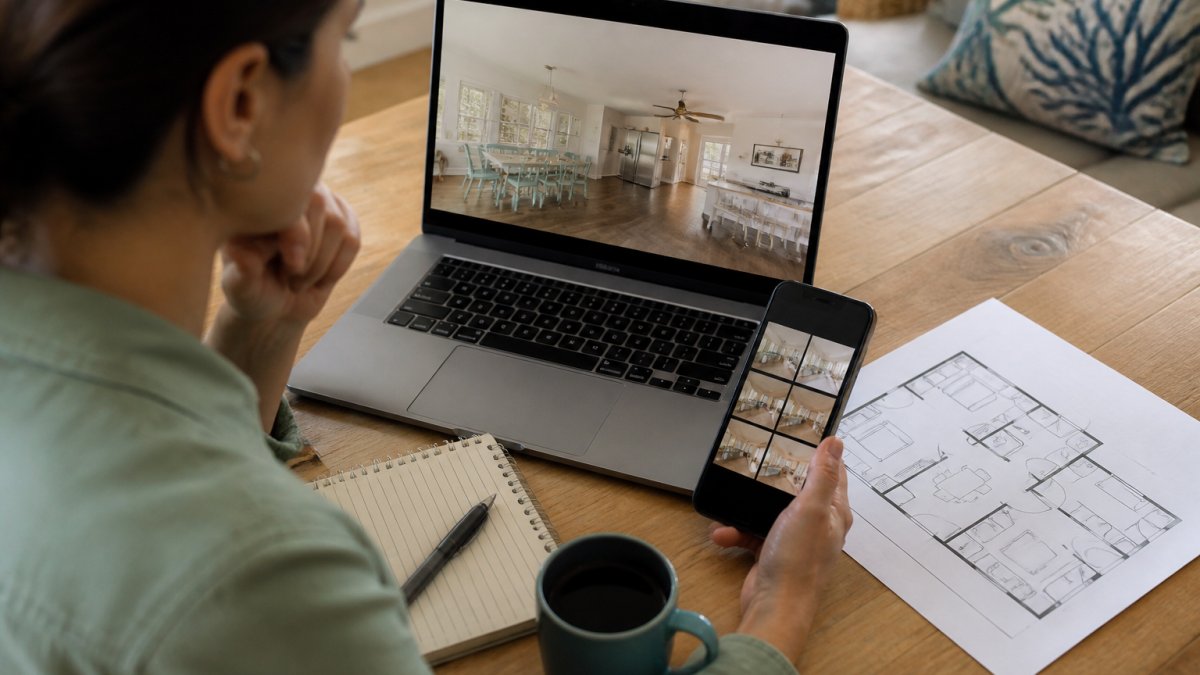
Infographic showing a traveler verifying vacation rental photos by comparing listing images with floor plans and reviews.
A Five-Pass Verification Checklist
Run these passes in order before you pay. Each one takes a few minutes and catches a different class of mismatch.
Count the rooms against the description. The listing says three bedrooms. Count distinct bedroom photos. If two photos show the same bed from different angles, that is one bedroom, not two. Compare the stated bed sizes to the visible bed-to-room ratio.
Trace the layout. Mentally walk from the entry photo through each room. Look for a floor plan or layout sketch in the listing. If the photo sequence jumps from a front door to a rear deck with no hallway or stairwell shown, the layout is being concealed.
Check the edges of every frame. Wide-angle distortion shows up at the borders: bowed ceiling lines, curved wall corners, stretched furniture legs, and door frames that lean. A room that looks enormous but has one small window is a lens trick, not a suite.
Inspect reflective surfaces. Mirrors, windows, glossy appliances, and TV screens reflect the room back at you. If the reflection shows a different wall color, a missing piece of furniture, or a view that does not match the window, the image was composited or heavily edited.
Compare finishes across photos. The same countertop, floor, or paint color should look consistent in every shot. A kitchen that appears bright white in one photo and beige in another signals selective editing or photos taken at different times.
Ask the host for a short unedited video walkthrough of the exact unit. A continuous video is much harder to stage than a set of stills.
Wide-Angle Distortion and Staged Rooms
Wide-angle lenses are standard in interior photography because they fit more room into the frame. Pushed too far, they bend the truth. Look for walls that curve near the edges, furniture that looks stretched, ceilings that bow upward, and rooms that seem huge relative to the bed.
Staging is the second layer. Fresh towels and a bowl of fruit look great, but ask what sits outside the frame. A common pattern is shooting each room from one corner only.
Editing Tricks That Hide Wear and Tear
Editing can correct color and lighting. It can also erase damage. Watch for floors that look unnaturally smooth, walls with no texture, blurry patches near baseboards or grout lines, sky through windows that looks pasted in, and reflections that do not match the room. Color accuracy matters too: heavily saturated photos make a worn room look fresh. Compare the photo palette to the listing's written description.
The Verification Angle Competitors Skip
Most photography guides tell hosts how to shoot better pictures. Travelers need the inverse: a way to audit the pictures they are shown. The five-pass checklist above is that audit. Pair it with the review and guest-photo checks later in this guide, and you have independent evidence rather than a marketing gallery.
Vacation Rental Listing Red Flags to Check Before You Pay
Some red flags live in the photos. Others live in the listing itself. Both matter before you hand over a card number. The deeper issue is that platform photo rules and verification features are not accuracy guarantees. Understanding what those rules actually require changes how you read every listing.
What Platform Photo Rules Actually Require
Major booking platforms generally require hosts to upload photos that are "representative" of the property and to keep them reasonably current. That standard is looser than it sounds.
A common pattern is a listing that passes platform review because the photos are real photos of a real property, even though the specific unit, furniture, or view differs from what a guest receives.
A verification checkmark or "confirmed" badge is not a photo-accuracy guarantee. It usually confirms host identity or listing existence, not that the images are current or show the exact unit you will occupy.
The Red-Flag Checklist
Only one photo per room: What It Suggests: Hiding layout or damage; What to Do: Ask for more angles.
No exterior or entry photos: What It Suggests: Unclear access or curb appeal; What to Do: Request building and door photos.
Photos look old or low-resolution: What It Suggests: Property may have changed; What to Do: Ask for dated, updated photos.
No guest-uploaded images: What It Suggests: Few real stays, or photos removed; What to Do: Check reviews closely.
Listing text contradicts photos: What It Suggests: Description may be inflated; What to Do: Ask direct questions.
Stock-style or generic shots: What It Suggests: Photos may not be the property; What to Do: Request a dated photo of the exact unit.
Identical photos across multiple listings: What It Suggests: Same gallery reused for different units; What to Do: Confirm which unit the photos show.
Photo dates older than recent reviews: What It Suggests: Images may predate renovations or damage; What to Do: Ask for current images.
A listing with ten living-room photos and none of the bathroom is a warning. Bathrooms and kitchens show wear fastest. Hosts who skip them usually have a reason. The same logic applies to exterior and entry shots: if you cannot see how you get in, you cannot judge accessibility, parking, or safety.
Cross-Check the Photos Against the Text and the Calendar
Read the description line by line and match each claim to a photo. "Ocean view" should have a photo taken from inside the unit showing water. "Walk to the beach" should come with a distance or a map pin.
Then check the calendar and review dates. For deeper context, compare historic beachfront rentals in Cocoa Beach, where older properties are most prone to misleading photos.
Ask for Evidence, Not Reassurance
The strongest red-flag test is a direct request for evidence. Ask for a dated photo of the exact unit, a short video walkthrough, and written confirmation of the bed and bathroom count. A host with nothing to hide answers quickly and specifically. A host with something to hide stalls, deflects, or sends a generic gallery. Keep every answer in writing.
Questions to Ask Before Booking a Vacation Rental
Asking direct questions is the single best way to test whether vacation rental photos are accurate. A host with nothing to hide answers fast.
Send these before you book:
Can you send recent photos of the exact unit I'm booking?
Are the photos on the listing from this year?
How many bedrooms and bathrooms, and which beds are in each?
Is there a floor plan or layout sketch?
What's the walking distance to the beach or nearest access point?
Are there any known issues, like construction next door?
What's the pet policy, including fees and size limits?
Can you confirm the check-in process and parking?
Two questions do the most work. First, ask for photos of the exact unit. Second, ask for a dated photo.
Keep the answers in writing. If a property doesn't match later, those messages are your evidence.
Using Reviews and Guest Photos to Confirm What You See
Guest reviews and traveler-uploaded photos are the best reality check on a listing gallery. Hosts control their own photos. Guests don't.
Read reviews with a filter. Skip the five-star raves and the one-star rants.
Look for these phrases:
"Smaller than it looks"
"A bit dated"
"Photos are accurate"
Guest photos are even better. You can also browse photos of our oceanfront townhouses and villas to compare against listing images and guest photos.
Pay attention to image volume too. A property with dozens of recent guest photos has a real track record.
What to Do If a Vacation Rental Is Not as Described
Arriving to a property that doesn't match its photos is stressful. Act fast, and document everything.
Do these steps in order:
Photograph the problem. Take wide shots and close-ups. Include a timestamp if your phone allows it.
Compare to the listing. Screenshot the original photos and description before they change.
Contact the host first. Send photos and a short, factual message. Ask for a fix or a resolution in writing.
Contact the platform. If the host won't help, open a case the same day. Most platforms have a short window for photo-mismatch claims.
Keep every message. Written records decide disputes.
Don't wait until checkout to report a problem. Platforms often require prompt notice. A complaint filed a week later is much harder to win.
Watch out: leaving without documenting the issue first can void your claim. Take the photos before you unpack.
If you booked directly with a rental company, call them right away. Guests with questions about a stay or a mismatch can contact Canaveral Beachfront Villas Llc and get a prompt response.
Book a Cocoa Beach Villa You Can Verify in Person
The best defense against misleading photos is a host who invites you to check. Ask for current images. Ask for a video walkthrough.
We built our rentals around that idea. You can also find the best beachfront vacation homes in Cocoa Beach for families, groups, and pet owners.
To check the details against the photos before you reserve, contact Canaveral Beachfront Villas Llc for current availability and property information.
Frequently Asked Questions
Are vacation rental photos always accurate?
No. Most hosts shoot with wide-angle lenses and brighten images, which can make rooms look larger and newer than they are. Travelers frequently cite inaccurate listing photos or descriptions as a concern. Treat photos as a starting point, then confirm details like room size, views, and amenities through reviews, guest-uploaded images, and direct questions to the host before you book.
Can vacation rental photos make a property look bigger than it is?
Yes. Ultra-wide lenses pull walls apart and stretch corners, so a small bedroom can look spacious. Look for bowed doorframes, stretched furniture, or ceilings that curve at the edges. Compare the photo against the stated square footage and bedroom count, and ask the host for a plain phone photo of the same room taken at eye level. If the listing avoids straight-on shots, assume the space is smaller than it appears.
What should I do if a vacation rental is not as described?
Document everything the moment you arrive: photograph the problem areas, note the date and time, and message the host through the platform so there is a written record. Report the issue to the platform's customer service within its stated window, since most refund and relocation policies depend on prompt notice. If the property is unsafe or uninhabitable, ask for relocation. Keep receipts for any alternate lodging you book while the dispute is resolved.
How can I verify a vacation rental's location and views before booking?
Cross-check the address on a satellite map to confirm the property sits where the listing claims and that nothing blocks the view. Read recent guest reviews for mentions of the view, beach access, or noise. Ask the host for a photo taken from the balcony or deck on a clear day, and confirm which floor or unit the photo represents. For beachfront properties, ask whether the beach access is private or shared and how far the walk is.
Photos can stretch the truth, but a careful guest can catch it. Ask for recent images of the exact unit, read the three-star reviews, and get answers in writing. Then book with a host who welcomes the questions. Get started with Canaveral Beachfront Villas Llc and reserve a beachfront stay you can confirm before you arrive.