
How to Verify Vacation Rental Photos Before You Book
Last Updated: November 15, 2026
Quick Summary
To verify vacation rental photos, run every listing image through a reverse image search using Google Lens and TinEye, then check the matches for stolen or reused photos. Confirm the exterior, address, and description agree, and treat any mismatch as a reason not to send money.
Photo verification takes about ten minutes and the tools are free.
Save full-resolution images and log each matching URL as you search.
Crop to a distinctive element when a full-image search returns nothing.
A single match is not proof of fraud and no match is not proof of legitimacy.
Ask the host for a current exterior photo and a live video call.
Ready to see the real thing?Browse verified photos of our oceanfront villas and townhouses on a private beachfront property.
Table of Contents
Why Vacation Rental Photos Need Verification Before You Book
How to Run a Reverse Image Search on Vacation Rental Photos
Desktop Workflow: Google Lens and TinEye Step by Step
Mobile Workflow: Checking Photos on Your Phone
How to Search a Cropped or Partial Image
How to Interpret the Matches
How to Tell If Rental Photos Are Fake or Stolen
A Photo-by-Photo Diagnostic Sequence
What Edited and AI-Generated Images Look Like
What Metadata Can and Cannot Tell You
What to Do After You Find a Mismatch
Cross-Check Photos Against the Listing Description and Address
Questions to Ask a Vacation Rental Host When Photos Look Off
Your Vacation Rental Photo Checklist Before Booking
Book a Beachfront Villa You Can See for Yourself
Frequently Asked Questions
Why Vacation Rental Photos Need Verification Before You Book
A listing photo can be copied from anywhere. That single fact is why you need to learn how to verify vacation rental photos before you send a deposit.
Most booking platforms review listings, but reviews are not the same as proof. A determined scammer can lift photos from a real home and post them under a fake address.
Here is the good news: the tools are free, and the process is simple. Below, we walk you through the steps to follow.
How to Run a Reverse Image Search on Vacation Rental Photos
A reverse image search is the fastest way to spot stolen photos. You upload or paste an image, and the search engine returns every other place that image appears online. The tool is simple; the skill is in reading the results.
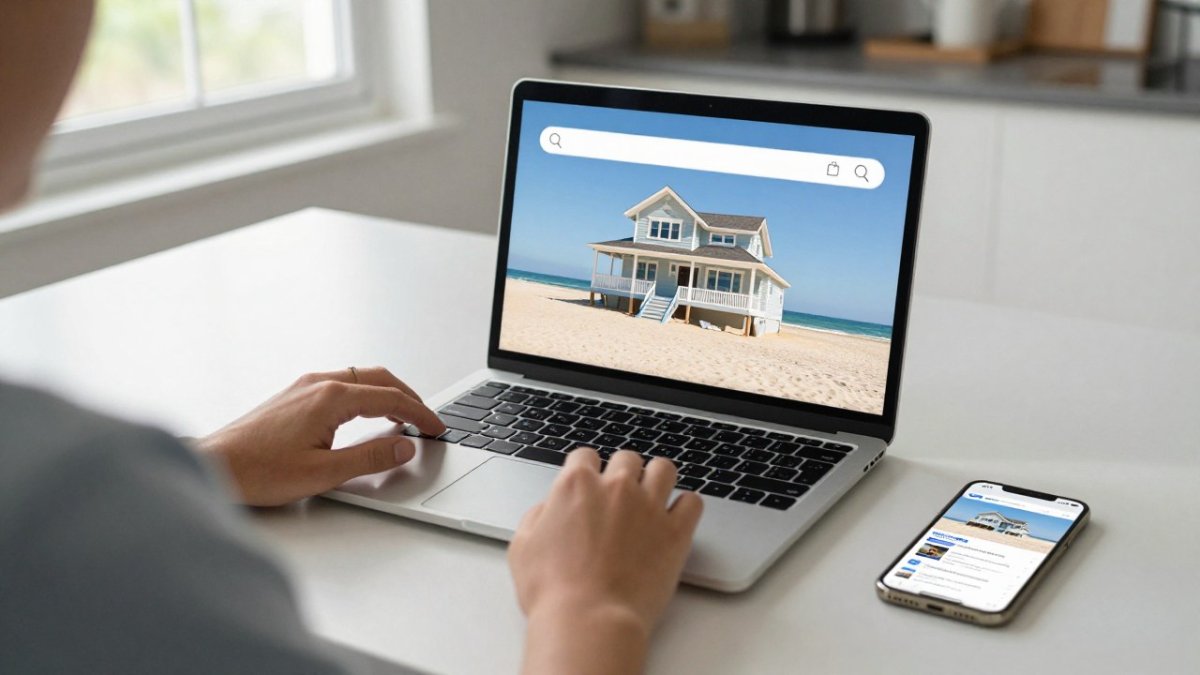
Diagram illustrating the process of using a laptop and smartphone to perform a reverse image search on rental photos.
If the same photo shows up on three different listings in three different towns, stop. That is your answer. But most results are messier than that, so here is how to work through them.
Desktop Workflow: Google Lens and TinEye Step by Step
Save each listing photo to your computer. Right-click and choose "Save image as" so you keep the full-resolution file rather than a thumbnail.
Open Google Lens in your browser and upload the image. Lens is best at finding visually similar images, including resized or lightly cropped copies.
Review the matches. Look for the same photo on other rental sites, real estate listings, stock photo libraries, or social media. Lens groups results by visual similarity, so scan the top rows first.
Repeat with TinEye, which is built for exact and near-exact matches. TinEye sorts by match quality and lets you filter by oldest or newest, which helps you find the original source.
Note any listing that uses the same image under a different address. Keep a simple log: image file name, URL where you found it, and every other URL that matched.
A common pattern is that the original photo appears on a real estate agent's site or a property manager's portfolio, and the rental listing is the copy. Finding the earlier, non-rental source is often the strongest signal.
Mobile Workflow: Checking Photos on Your Phone
On a phone, the process is quicker but slightly less precise. In a mobile browser, long-press a photo and choose "Search image with Google Lens." On iPhone, save the photo to your camera roll, open the Google app, and use the Lens tab to upload it. TinEye works through its mobile site, though uploading from the camera roll is clunkier than on desktop.
How to Search a Cropped or Partial Image
Scammers often crop a photo to remove a house number, a watermark, or a distinctive feature. If a full-image search returns nothing, crop the image to the most distinctive element, a unique window shape, a pool, a piece of furniture, and search that fragment. Google Lens handles partial images better than TinEye, so start there. If the fragment matches a photo on another site, you have found the source even though the full image did not match.
How to Interpret the Matches
Not every match means fraud. The same owner may advertise on multiple platforms, and property managers routinely reuse their own photos across sites. Before you conclude a listing is stolen, check four things:
Dates. TinEye can sort by oldest, and Google Lens often shows the earliest indexed page. If the other listing predates the one you are considering, the newer listing is the copy.
Captions and property details. Do the other listings describe the same number of bedrooms, the same address, and the same amenities? A match with different details is a stronger warning than a match with identical details.
Original source. If the photo traces back to a real estate agent, a builder, or a stock photo site, the rental listing is almost certainly using it without authorization.
Host identity. If the same host name or profile appears on both listings, cross-platform advertising is likely legitimate. If the hosts are different people in different states, treat it as a red flag.
Watch out: a single match is not proof of fraud, and no match is not proof of legitimacy. A scammer can use a photo that has never been indexed, so pair the reverse search with the other checks in this guide.
How to Tell If Rental Photos Are Fake or Stolen
Fake photos usually leave clues. You just have to know where to look, and you have to look in the same order every time so you do not miss something.
A Photo-by-Photo Diagnostic Sequence
Work through the images in a fixed order rather than scrolling randomly.
Start with the exterior. A real property has a front door, a street view, and a mailbox.
Compare the details within the set. Look at the view out of each window. Look at the flooring. Look at the countertops.
Check the view against the address. Paste the address into a maps service and use street view.
What Edited and AI-Generated Images Look Like
AI-generated and heavily edited images are now common, and no detector can prove an image is fake. Treat detection as a judgment call based on visible artifacts, not a verdict.
Look for warped lines near windows and doorframes, furniture that blends into walls, reflections that do not match the room, and text on signs or labels that is garbled.
A cautious approach is to compare the suspect image with the other photos in the same listing.
What Metadata Can and Cannot Tell You
EXIF data embedded in a photo can show the camera model, capture date, and sometimes GPS coordinates. That sounds definitive, but it usually is not. Most booking platforms strip metadata when images are uploaded, and screenshots never carry it. If you do find metadata, treat it as a supporting clue, not proof.
If a listing looks suspicious, preserve evidence before it disappears. Take full-page screenshots of the listing, save the image files, and note the URL and the date.
What to Do After You Find a Mismatch
Do not send money, and do not share identity documents. Document your concerns with screenshots and the reverse-search results, then report the listing to the platform through its listing-reporting tool. If you have already paid, contact your card issuer about a chargeback and report the listing to the platform's trust and safety team.
For a deeper walkthrough of these criteria, see our guide on how to tell if vacation rental photos are accurate.
Cross-Check Photos Against the Listing Description and Address
The photos and the words should agree. When they do not, one of them is wrong.
Read the listing description and count the bedrooms, the bathrooms, and the beds. Then count them in the photos.
Next, check the address. Paste the address into a maps service and look at the street view. Does the house match the exterior photo?
You can also check public records. Many counties publish property records and vacation rental license databases online. A licensed rental should appear in the local register.
Questions to Ask a Vacation Rental Host When Photos Look Off
A honest host answers photo questions without hesitation. A scammer gets defensive or goes quiet.
Ask these questions directly:
Can you send a current photo of the exterior, including the street?
Are the photos recent, and when were they last updated?
Can we do a quick video call so I can see the property live?
Is the home licensed, and what is the license number?
What is the exact address, and does it match the listing?
Watch out: a host who pushes you to pay off-platform, by wire or payment app, is a major red flag. Legitimate rentals run payment through the booking platform.
If you have concerns about a specific property, you can always contact Canaveral Beachfront Villas Llc and ask directly.
Your Vacation Rental Photo Checklist Before Booking
Use this checklist on every listing. It takes minutes and covers the essentials.
Reverse image search: What to Do: Run every photo through Google Lens and TinEye; Red Flag: Same photo on other listings.
Exterior shot: What to Do: Ask for a street-facing photo; Red Flag: No exterior photos at all.
Address match: What to Do: Compare street view to the listing; Red Flag: House does not match.
Description match: What to Do: Count bedrooms and beds in both; Red Flag: Numbers do not agree.
License check: What to Do: Search the local rental license database; Red Flag: No license on record.
Host contact: What to Do: Ask two photo questions; Red Flag: Vague or defensive replies.
Payment method: What to Do: Confirm platform payment only; Red Flag: Requests for wire or app payment.
Apply the checklist to real candidates. Our roundup of the best beachfront vacation homes in Cocoa Beach gives you a starting list to practice on.
Book a Beachfront Villa You Can See for Yourself
Verification works both ways. When you book with a host who shows the real property, the photos and the stay match.
Our restored 1950s homes sit on a private 1.4-acre beachfront property with direct beach access, and guests can enjoy a view of rocket launches from their own deck.
Browse our gallery of oceanfront townhouses and villas to see the homes for yourself. Then explore our beachfront vacation rentals when you are ready to plan your stay.
The difference between a great beach trip and a disappointing one often comes down to ten minutes of checking. Do the photo work before you pay, ask the host direct questions, and book with a property that shows you the real thing. Canaveral Beachfront Villas Llc offers direct beach access, restored 1950s homes, and rocket launch views from your own deck. Get started with Canaveral Beachfront Villas Llc and book a beachfront stay you can see for yourself.
Frequently Asked Questions
How do I use reverse image search to check vacation rental photos?
Save each listing photo to your device, then upload it to Google Lens or TinEye. On a phone, open Google Lens and point your camera at the photo on another screen, or upload the saved file. Look for exact matches on other listings, stock photo sites, or real estate pages. If the same image appears under a different property address or a different host name, treat it as a red flag and ask the host for current, address-specific photos before you pay anything.
What are the signs that vacation rental photos may be fake or stolen?
Watch for photos that look like stock or magazine shots, images that appear on multiple listings in different cities, and pictures with no address-specific details like house numbers or nearby landmarks. Edited or AI-generated images often have warped lines, blurry text on signs, or furniture that blends into walls. Also check whether the photo set skips basics such as the bathroom, parking area, or exterior at night. Missing or overly polished photos are worth questioning before you book.
What should I ask a host if I am unsure about a rental photo?
Ask for a short video walkthrough filmed that week, a photo of the exterior with the house number visible, and confirmation that the address on the listing matches the property records. Request current photos of any amenity you care about, such as the pool, beach access, or pet area. A legitimate host answers quickly and sends fresh images. A host who dodges the request, sends only old listing photos, or pushes you to pay off-platform is a reason to walk away.
How can I confirm that listing photos match the actual rental?
Compare the photos with the listing description, amenity list, and guest reviews. Look for details reviewers mention, like the deck view, bedroom layout, or beach path, and see if the photos show the same things. Check the property address on the county property appraiser or licensing database to confirm the home exists as described. Then ask the host for a dated video walkthrough. If the visuals, description, and official records all line up, you have a solid match.